

The ERR_NAME_NOT_RESOLVED error occurs when DNS resolution fails. You can solve this issue by following this DIY guide. You’ll also learn how to deal with this error in different situations. DNS, or Domain Name System, connects a domain name with the IP address behind it.
- NET:: ERR_NAME_NOT_RESOLVED
- Failed to load resource net:: err_name_not_resolved
- This site can't be reached
- Unable to reach the site
- Could not find the IP address of the server
The ERR_NAME_NOT_RESOLVED error occurs when DNS resolution fails. You can solve this issue by following this DIY guide. You’ll also learn how to deal with this error in different situations.
DNS, or Domain Name System, connects a domain name with the IP address behind it. DNS allows you to access a website by typing its domain name instead of its IP address. The process of reaching an IP address through a domain name is called DNS Resolution. If something goes wrong during the DNS resolution process, the browser fails to connect to the IP address behind the domain name and shows the ERR_NAME_NOT_RESOLVED error.
Other variants of the error code are
- NET:: ERR_NAME_NOT_RESOLVED
- Failed to load resource net:: err_name_not_resolved
- This site can’t be reached
- Unable to reach the site
- Could not find the IP address of the server
- The web page is not available.
Probable causes of the DNS resolution error
The ERR_NAME_NOT_RESOLVED error may appear if your browser has cached corrupt or obsolete DNS data. It can also happen due to a connection error. A misconfiguration in the host’s file can also result in a DNS resolution error.
In the next section, we’ll discuss some simple steps that you can take to resolve the ERR_NAME_NOT_RESOLVED error. If these steps do not solve the issue for you, you may have to consult a technician regarding this.
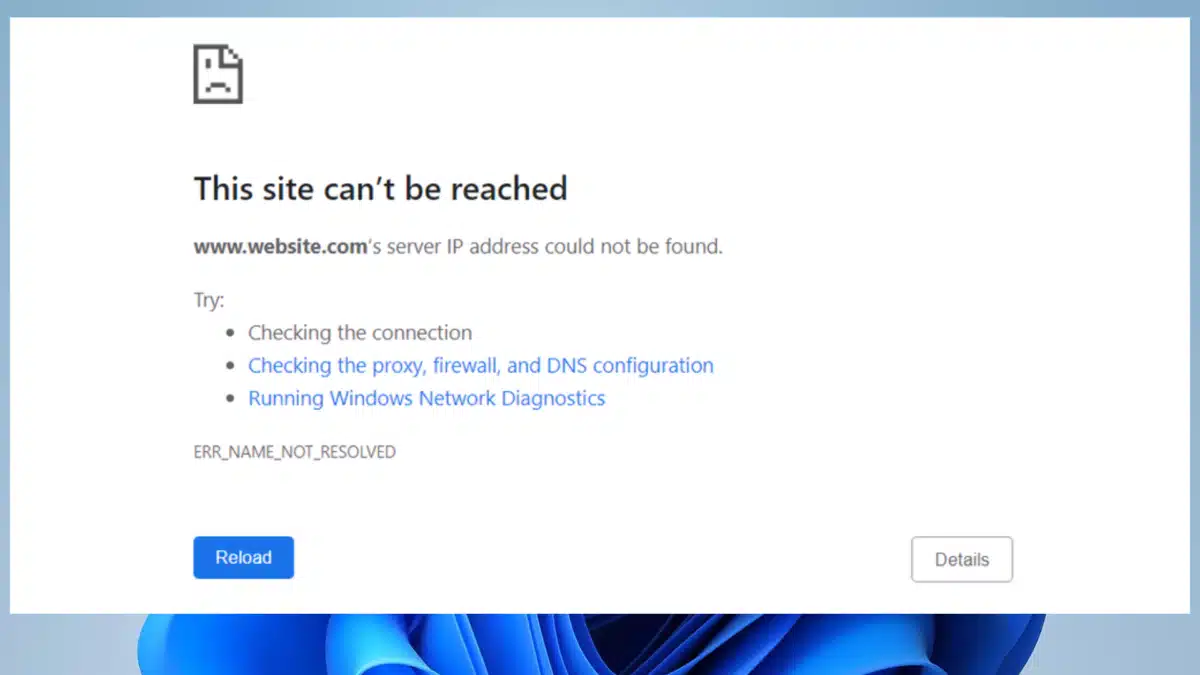
Fixing the ERR_NAME_NOT_RESOLVED error
1. Check if you typed in the right address
Ensure you have put the right web address and that there are no typos. You can also try adding and removing the “www” prefix before writing the address. It might just solve your issue.
2. Check your internet connection
A drop in the internet connection can cause the browser to fail to resolve the domain name and hence show the ERR_NAME_NOT_RESOLVED error. You can try to open a different website and figure out if the internet connection is the issue.
Try using your mobile internet to access the same website and see if you can navigate to it. Finally, restart your router and see if it solves the issue. If it doesn’t, move on to the next step.
3. Clear the browser cache
Your browser stores some information about the sites you frequent in caches to make the sites load faster when you revisit them. The data in the cache may often be outdated or corrupt. It can cause the ERR_NAME_NOT_RESOLVED error to appear. To clean the cached data
Go to Customize and Control Google Chrome (the three vertical dots on the top right corner of your browser window) => More tools => Clear browsing data
Set the time range and check the boxes for browsing history, cached images, and files. Then, click Clear data.
4. Disable the browser preload feature
Your browser preloads certain links that are present on the site you are visiting. The preload feature can often cause the ERR_NAME_NOT_RESOLVED error. This is how you can disable the Google Chrome Preload feature.
Go to the three vertical dots => Settings => Privacy and Security => Site settings
Locate the option that says, Pages are preloaded for faster browsing and searching and turn it off.
5. Flush the DNS cache
Your browser stores DNS-related information in the DNS cache to speed up the process of loading pages. This data can be corrupt and may cause errors. This is how you flush the browser’s DNS cache.
Type chrome://net-internals/#dns into the URL bar and press Enter. This will let you access the DNS cache settings. Click on Clear host cache. And you are done.
6. Clear DNS cache on Windows
Just like your browser, your operating system caches DNS information. Follow the steps to flush the DNS cache on Windows.
Open the command prompt by pressing the Windows key + R.
Type Windows Terminal and click Ok.
Type in the following command
ipconfig / flushdns
Your Windows DNS cache will be flushed.
7. Check your Firewall and Antivirus
You can run a scan with your antivirus to find out if there are any issues with DNS configurations. Alternatively, you can turn the Antivirus and the Firewall off temporarily to find out if the ERR_NAME_NOT_RESOLVED was being caused by them.
Apart from these, you may have to reset the DNS servers to resolve this issue. Here’s how to do that on Windows.
Go to Control Panel => Network and Sharing Center => Change adapter settings => Right-click on the network in use => Click on properties => locate the TCP/IPv4 and select it => Click on Properties => Select the option Use the following DNS server addresses => Fill in the fields with public DNS like Google’s DNS address for IPv4 is 8.8.8.8; 8.8.4.4
Conclusion
By now, you are equipped with the knowledge to deal with the ERR_NAME_NOT_RESOLVED error. We’ve discussed a lot of steps here. Let us know if you are aware of a better way of doing it.
Related: 7 DIY Methods to Resolve the ERR_CONNECTION_CLOSED Error
Related: Website Not Secure? Fix NET::ERR_CERT_AUTHORITY_INVALID Now
Last updated on


