

In today’s world, everyone uses a cellphone because this device has become an integral part of our lives. While using, we often come across an error that says SIM Not Provisioned MM2 on your cellphone. It happens especially if your phone is new.
In today’s world, everyone uses a cellphone because this device has become an integral part of our lives. While using, we often come across an error that says SIM Not Provisioned MM2 on your cellphone. It happens especially if your phone is new. The SIM Not Provisioned MM#2 error does not go away all by itself, and in order to make it go away, there are important steps that you need to follow carefully.
When we buy a new mobile phone, it often shows a SIM card not provisioned mm2 error. It signifies that you cannot make any phone calls from your phone, nor can you connect it to the internet.
Why does my phone say SIM not provisioned? How to fix the SIM Not Provisioned MM2 Error? If these are your questions, then worry no more. Read along to find what SIM Not Provisioned MM2 means and learn 5 ways to fix the problem.
What is SIM Not Provisioned MM#2?
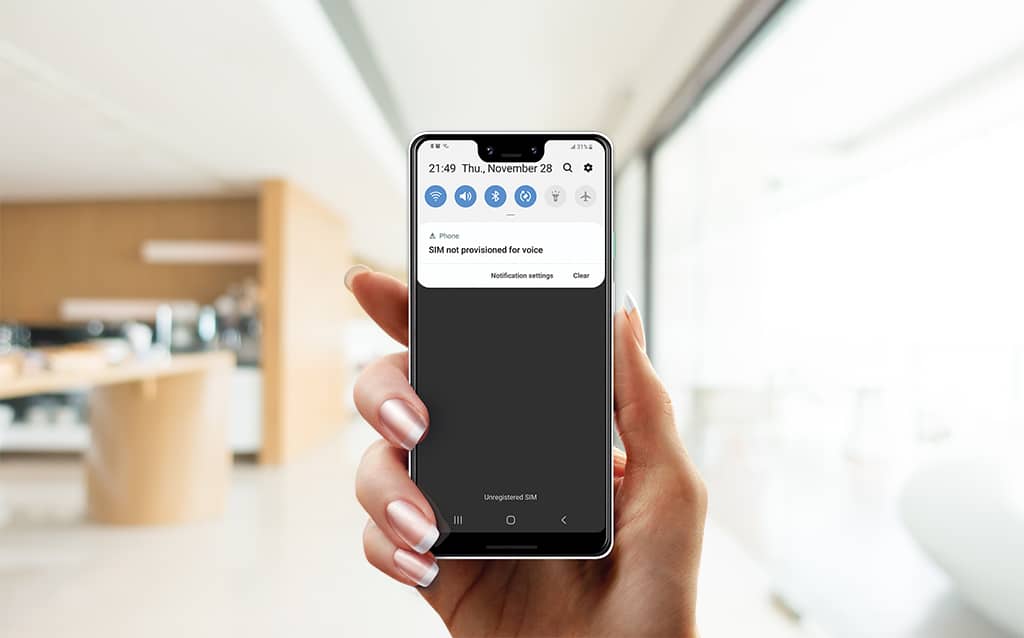
When your phone shows a message stating that SIM Not Provisioned MM2, it basically means that your SIM card is not connected to the service provider. This scenario may take place after porting your SIM card. To use your phone for calls and internet usage, your SIM card needs to be attached and integrated with your cellphone. If you fail to do this, your device will continue to display the message.
Also read – Tips And Tricks For Fixing Sim Card Failure In iPhone
5 Ways for You to Fix SIM Not Provisioned MM2 Error
Now that we know what SIM Not Provisioned MM2 stands for, we can learn the five different ways to fix the problem. However, no guarantee that following these steps would resolve the issue, but it’s okay to give them a try. Here we go!
1. Check the SIM Card
The first thing you should do to fix this issue is to check if your SIM card is broken or physically damaged. Chances are, you have an active SIM card, but it’s not working because it’s damaged.
To check the SIM, you need to:
- Pull the SIM card tray out of your phone
- Take the SIM off the tray to minutely scrutinize it
- If there is a sign of damage, take it to your nearest carrier for replacement
2. Check if the SIM is Inserted Properly
People often insert their SIM cards into their devices in a hurry. This way, the SIM sometimes does not get properly inserted, which leads to a SIM Not Provisioned MM2 problem. When your phone is unable to recognize your SIM card, the SIM not provisioned message keeps appearing on your phone’s display.
To fix this issue, you need to:
- Take the SIM tray out
- Remove the SIM card
- Place the SIM back in the tray in the right manner
- Slide the tray back into the phone
- Check if the message is still showing
- If it does, take it to your nearest carrier
3. Check if the SIM is Activated
One of the major reasons for phones to show this message is that the SIM often remains deactivated. This happens if you put your SIM card in a new phone or have a new SIM card that needs activation. If this is the case, then you need to contact your carrier to resolve this issue.
If you have a problem with SIM Not Provisioned MM2 ATT, you need to:
- Go to the AT&T site using your web browser
- Select ‘SIM Card Only’ from the dropdown menu
- Follow the instructions to activate the SIM
4. Restart Your Phone
An effective solution for this particular problem is to restart your cell phone. Many carriers ask you to switch off your phone and then turn it back on after you put a new SIM card into your device. It enables your SIM card to bring in network options. Follow the usual steps to restart the phone, wait for a while, and you will be good to go.
5. Put SIM in Other Devices

This solution is highly recommended. All you need to do is put your SIM card in another cellphone. Once the SIM card is in, try calling from the phone to see whether it works or not. If you can successfully call from that SIM, it means that the SIM card works just fine and the device is faulty. If the call does not go through, then the SIM might have some issues.
FAQs
How to fix SIM Not Provisioned MM 2?
By following the above-mentioned steps, you can fix the SIM not provisioned MM2 problem.
What is SIM Not Provisioned for voice?
The “SIM not provisioned for voice” error on your phone typically appears when you can’t make or receive calls. It happens mostly when it’s not connected to the carrier account.
What is SIM 2 Not Provisioned?
The “SIM 2 not provisioned” error message typically appears on a phone with a dual-SIM slot. Each slot is assigned a number, so you may see “SIM 1 not provisioned” & “SIM 2 not provisioned” issues on your phone.
What does SIM Not Provisioned MM2 mean?
The SIM Not Provisioned MM#2 error typically only permits emergency calls and other functions that don’t necessitate a mobile network. In short, this problem means you cannot connect to your carrier.
Frequently Asked Questions
What is SIM Not Provisioned MM#2?
When your phone shows a message stating that SIM Not Provisioned MM2, it basically means that your SIM card is not connected to the service provider. This scenario may take place after porting your SIM card. To use your phone for calls and internet usage, your SIM card needs to be attached and integrated with your cellphone. If you fail…
How to fix SIM Not Provisioned MM 2?
By following the above-mentioned steps, you can fix the SIM not provisioned MM2 problem.
What is SIM Not Provisioned for voice?
The "SIM not provisioned for voice" error on your phone typically appears when you can't make or receive calls. It happens mostly when it's not connected to the carrier account.
What is SIM 2 Not Provisioned?
The "SIM 2 not provisioned" error message typically appears on a phone with a dual-SIM slot. Each slot is assigned a number, so you may see “SIM 1 not provisioned” & “SIM 2 not provisioned” issues on your phone.
What does SIM Not Provisioned MM2 mean?
The SIM Not Provisioned MM#2 error typically only permits emergency calls and other functions that don't necessitate a mobile network. In short, this problem means you cannot connect to your carrier.
Last updated on


